| Provider Type(s) for Which These Instructions Apply | Program(s) for Which These Instructions Apply |
|---|---|
| Case Management | ADvantage |
This process will be used as a guide to register candidate(s) for Case Management Orientation Training (CMOT).
*Only the Providers Case Management Supervisor (CMS), Back Up Case Management Supervisor (BSMS), Continuous Quality Improvement (CQI), or Authorized Signature Person may submit a request for Case Management Orientation Training.
** To find the dates for the next upcoming Case Manager Orientation Training (CMOT), please refer to the ‘Virtual and Webinar Training’ section of the ADvantage Administration webpage using the following link: ADvantage Administration (oklahoma.gov)
Ensure the following documents are saved to your local machine, as they will be required when submitting a note with your training request.
- Current Resume
and
- Proof of Bachelor’s Degree (Diploma or Conferred Transcript)
or
- RN/LPN License (OBN or NURSYS)
and
- Photo Identification
Note: documents must be saved with the following format: “First Name Last Name Document Type” Example: John Doe Resume
- Navigate to the PQ Chapter

- Hover over “File”
Select “Add PQ”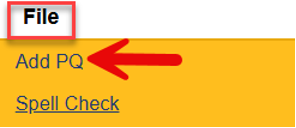
- Complete the blank field(s) of the record
Select Program of “ADvantage”
Click the box with the three dots ( … ) next to “Select User’s Provider Record”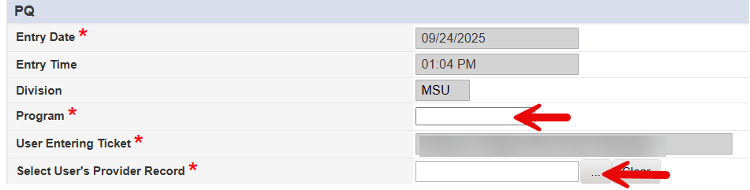
Type in a minimum of the first 3 letters of the Provider you are associated with
Click on “Search”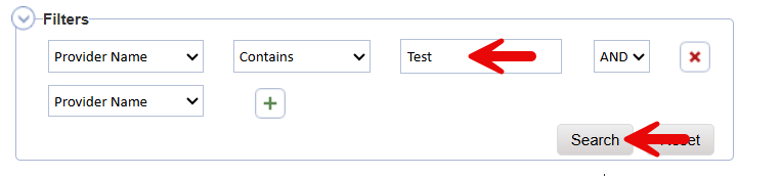
Select the appropriate record from the list.
Select the Inquiry Type of “Training”
In the Detailed Information field, Type the case manager candidates name and the dates you would like them to attend training
*If a month is not specified, candidate will be assessed for earliest date without a closed registration. Registration closes two Thursdays prior to the first date of CMOT.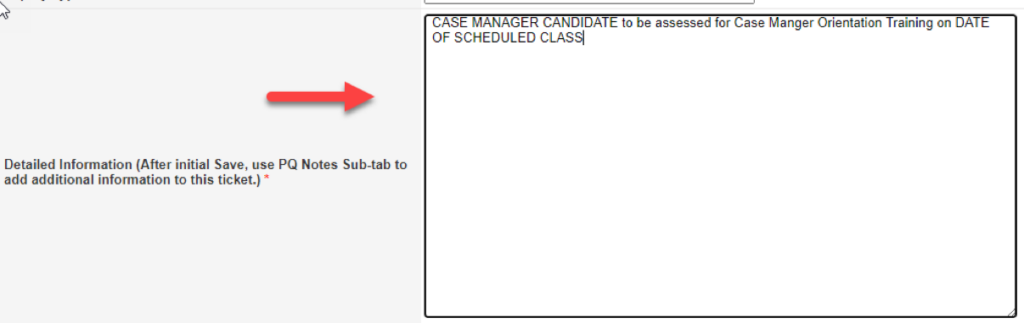
- Hover over “File”
Select “Save PQ”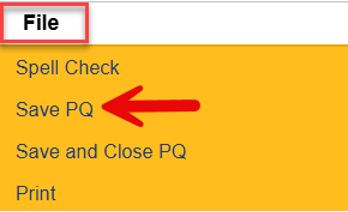
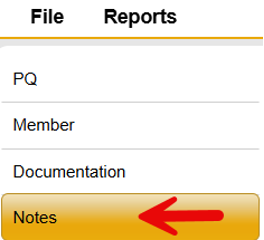
- Select “Notes” Sub-Tab
Hover over “File” from the menu bar
Select “Add Note”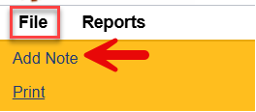
Select the I&I Note Type of “CM Candidate Training Request”
Update the Status to “Communication”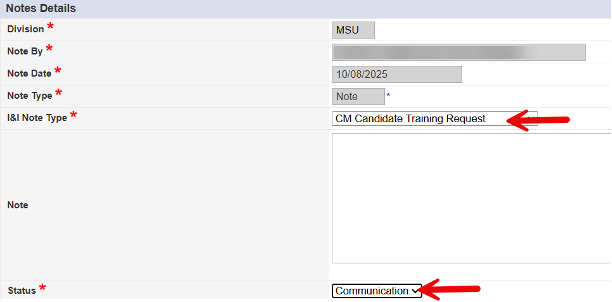
Select “Add Attachment”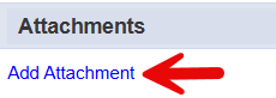
Select “Choose File”
Select document to be attached from your local computer
Reminder, the following documentation is required:
– Current Resume
and
– Proof of Bachelor’s Degree (Diploma or Conferred Transcript)
or
– RN/LPN License (OBN or NURSYS)
and
– Photo Identification
Type in appropriate “Description”
Select appropriate “Category”
Select “Upload”
Return to “Choose File” to add all required documents. - Hover over “File” from the menu bar
Select “Save and Close Note”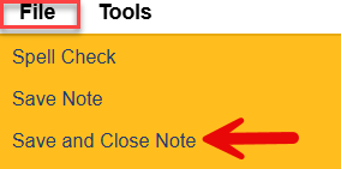
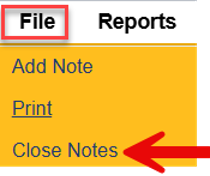
Hover over “File” from the menu bar
Select “Close Notes” to exit the PQ Ticket